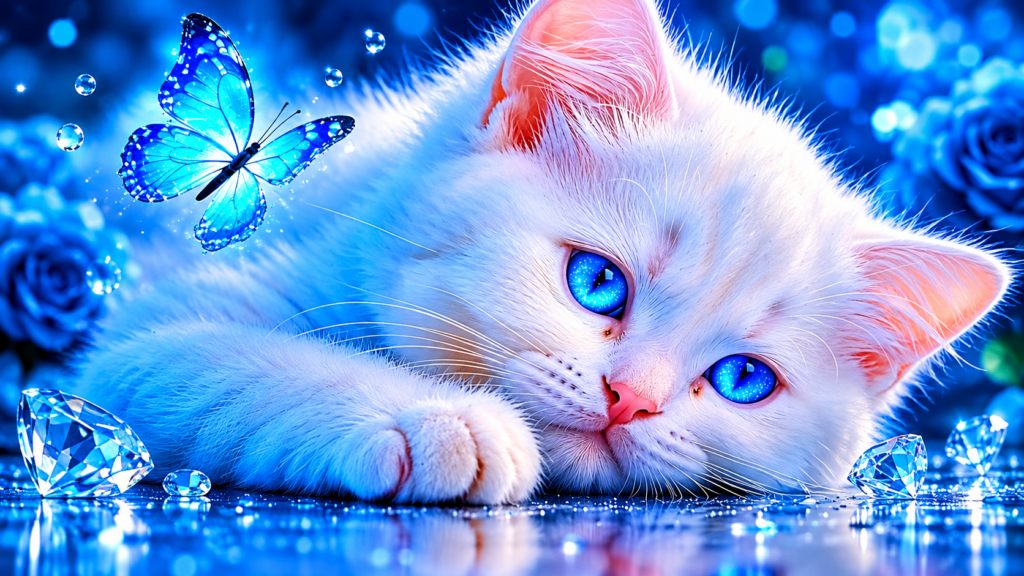
Cute Kitten & Blue Butterfly Animated Wallpaper for PC
Cute White Cat Live Wallpaper
Cute White Cat Live Wallpaper 4K for PC (Free Download)
If you are looking to revamp your desktop setup with a serene, cute, and mesmerizing look, the Cute White Cat Live Wallpaper is the ultimate choice for your PC and laptop display. Featuring a stunning high-resolution design, this animated background brings a smooth blend of aesthetic blue vibes, adorable pet art, and magical glowing details right onto your screen.
Whether you use your computer for intense work sessions, content creation, gaming, or general web browsing, having a visually pleasing live background can significantly improve your mood and overall user experience. Below, we dive deep into why this animated theme is a must-have for your custom desktop environment.
Why Choose the Cute White Cat Live Wallpaper?
Static wallpapers can get boring over time. Animated backgrounds, on the other hand, bring life to your workspace without taking focus away from your main tasks. Here is what makes the Cute White Cat Live Wallpaper so popular among desktop customizers worldwide:
Ultra HD Visual Clarity: Rendered in crystal-clear resolution, every single strand of fur, bright blue eye reflection, and glowing blue butterfly wing stands out sharply on high-end screens.
Relaxing Blue Color Palette: Cool blue hues, sparkling diamonds, and gentle lighting effects create a calming digital ambiance that reduces visual fatigue during long computer hours.
Smooth Animation: Optimized frame rates ensure that the moving elements, such as floating butterflies and sparkling light particles, run smoothly without lagging your PC.
Universal Appeal: Loved by cat lovers, aesthetic wallpaper enthusiasts, and setup builders who want a clean, premium visual aesthetic.
Key Features & Specifications
To ensure the best visual quality across all types of displays, this live wallpaper has been built and formatted with top-tier specifications:
Resolution: 4K / 8K Ultra HD Resolution support for maximum sharpness.
Aspect Ratio: 16:9 Widescreen (Fully compatible with Ultrawide and Dual-Monitor setups).
Theme: Cute White Kitten, Glowing Blue Butterflies, Diamonds, and Neon Blue Lighting.
Performance Impact: Extremely lightweight GPU and CPU memory consumption.
Compatibility: Works seamlessly with popular live wallpaper engines such as Wallpaper Engine, Lively Wallpaper, and direct MP4/WebM video background players on Windows 10 and Windows 11.
How to Install and Set Up on Windows PC
Setting up your new Cute White Cat Live Wallpaper on your desktop is quick and straightforward. Follow these simple steps to apply the background:
Method 1: Using Lively Wallpaper (Free & Open Source)
Download and install Lively Wallpaper from the official site or Microsoft Store.
Download the Cute White Cat Live Wallpaper video file from the download link below.
Open Lively Wallpaper and click on the + Add Wallpaper button located in the top panel.
Drag and drop the downloaded wallpaper file into the app interface.
Select the wallpaper to set it as your active desktop background.
Cute White Cat Live Wallpaper 4K for PC (Free Download)
If you are looking to revamp your desktop setup with a serene, cute, and mesmerizing look, the Cute White Cat Live Wallpaper is the ultimate choice for your PC and laptop display. Featuring a stunning high-resolution design, this animated background brings a smooth blend of aesthetic blue vibes, adorable pet art, and magical glowing details right onto your screen.
Whether you use your computer for intense work sessions, content creation, gaming, or general web browsing, having a visually pleasing live background can significantly improve your mood and overall user experience. Below, we dive deep into why this animated theme is a must-have for your custom desktop environment.
Why Choose the Cute White Cat Live Wallpaper?
Static wallpapers can get boring over time. Animated backgrounds, on the other hand, bring life to your workspace without taking focus away from your main tasks. Here is what makes the Cute White Cat Live Wallpaper so popular among desktop customizers worldwide:
Ultra HD Visual Clarity: Rendered in crystal-clear resolution, every single strand of fur, bright blue eye reflection, and glowing blue butterfly wing stands out sharply on high-end screens.
Relaxing Blue Color Palette: Cool blue hues, sparkling diamonds, and gentle lighting effects create a calming digital ambiance that reduces visual fatigue during long computer hours.
Smooth Animation: Optimized frame rates ensure that the moving elements, such as floating butterflies and sparkling light particles, run smoothly without lagging your PC.
Universal Appeal: Loved by cat lovers, aesthetic wallpaper enthusiasts, and setup builders who want a clean, premium visual aesthetic.
Key Features & Specifications
To ensure the best visual quality across all types of displays, this live wallpaper has been built and formatted with top-tier specifications:
Resolution: 4K / 8K Ultra HD Resolution support for maximum sharpness.
Aspect Ratio: 16:9 Widescreen (Fully compatible with Ultrawide and Dual-Monitor setups).
Theme: Cute White Kitten, Glowing Blue Butterflies, Diamonds, and Neon Blue Lighting.
Performance Impact: Extremely lightweight GPU and CPU memory consumption.
Compatibility: Works seamlessly with popular live wallpaper engines such as Wallpaper Engine, Lively Wallpaper, and direct MP4/WebM video background players on Windows 10 and Windows 11.
How to Install and Set Up on Windows PC
Setting up your new Cute White Cat Live Wallpaper on your desktop is quick and straightforward. Follow these simple steps to apply the background:
Method 1: Using Lively Wallpaper (Free & Open Source)
Download and install Lively Wallpaper from the official site or Microsoft Store.
Download the Cute White Cat Live Wallpaper video file from the download link below.
Open Lively Wallpaper and click on the + Add Wallpaper button located in the top panel.
Drag and drop the downloaded wallpaper file into the app interface.
Select the wallpaper to set it as your active desktop background.